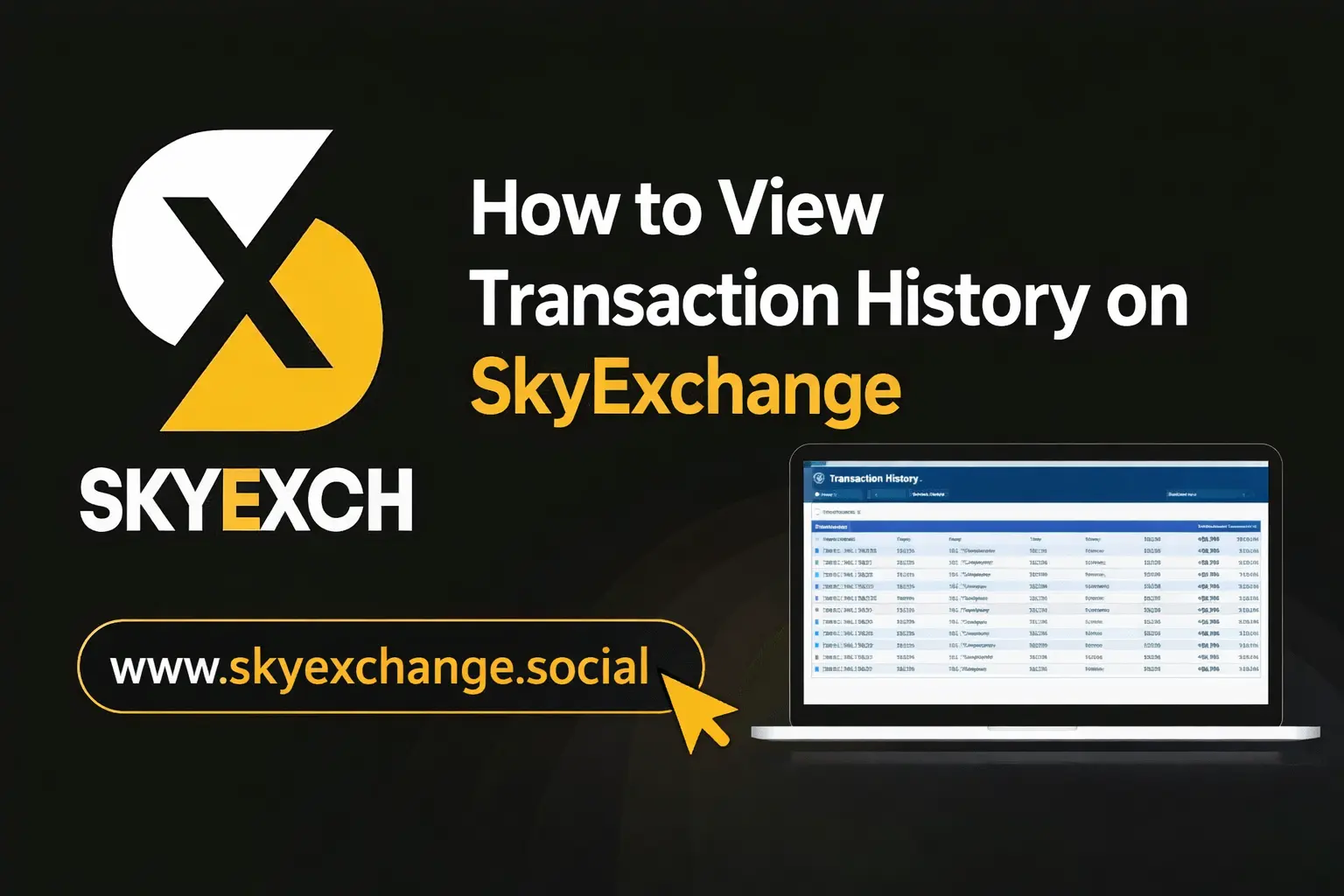
Managing your betting finances effectively requires keeping track of all your deposits, withdrawals, and betting activities. Understanding how to view Transaction History on sky exchange is essential for maintaining transparency, managing your bankroll, and ensuring all your financial transactions are recorded accurately. This comprehensive guide will walk you through everything you need to know about accessing and utilizing your transaction records on the platform.
Why Viewing Transaction History on SkyExchange Matters
Before diving into the how-to aspects, it’s important to understand why monitoring your Transaction History on skyexchange is crucial for your betting success. Your transaction history serves as a complete financial record of your betting activities, providing insights into your spending patterns, winning streaks, and areas where you might need to adjust your strategy.
Regularly checking your transaction records helps you maintain accountability, track your profitability over time, and identify any discrepancies that might need attention. For serious bettors, transaction history is an invaluable tool for analyzing betting performance and making data-driven decisions about future wagers.
Getting Started: Accessing Your SkyExchange Account
To view Transaction History on SkyExchange, you first need to access your account. Begin by navigating to skyexchange and proceed to the login page. Enter your credentials through the skyexchange login portal to access your account dashboard.
Once logged in, you’ll find yourself on the main dashboard where various options are available. The transaction history feature is typically accessible from your account menu or profile section. Familiarizing yourself with the platform’s navigation will make accessing your transaction records quick and effortless.
Step-by-Step Guide to Viewing Your Transaction History
Navigating to the Transaction Section
After successfully logging into your account, locate the account menu, usually found in the top right corner of the screen. Click on your profile icon or username to reveal a dropdown menu with various account options. Look for sections labeled “Transaction History,” “Account Statement,” “My Transactions,” or similar terminology.
Different platforms may organize this information differently, but the transaction history is typically grouped with other account management features like deposit options, withdrawal requests, and account settings. If you created your skyexchange id recently, take time to explore the interface to understand where different features are located.
Understanding Transaction Categories
When you access your Transaction History on SkyExchange, you’ll notice that transactions are typically categorized into different types. Common categories include deposits, withdrawals, bets placed, bet settlements, bonuses received, and promotional credits. Understanding these categories helps you quickly locate specific transactions when reviewing your account activity.
Each category serves a distinct purpose in your overall betting experience. Deposits show when and how much money you’ve added to your account, while withdrawals track your cashout requests. Bet-related transactions show your wagering activity, including stakes placed and winnings received.
Filtering Your Transaction Records
Most platforms, including those accessible through your skyexchange account, offer filtering options to help you navigate your Transaction History on SkyExchange more efficiently. You can typically filter transactions by date range, transaction type, amount, or status. These filters are invaluable when you’re looking for specific transactions or analyzing your betting patterns over particular periods.
To use filters effectively, select your desired date range first. For instance, you might want to review the past week, month, or a custom date range. Then apply additional filters like transaction type to narrow down results further. This functionality makes managing and reviewing your transaction history straightforward and time-efficient.
Types of Transactions Displayed
Deposit Transactions
Deposit transactions show all instances when you’ve added funds to your betting account. Each deposit entry typically includes the date, time, amount, payment method used, and transaction status. Reviewing deposit history helps you track how much capital you’ve invested in your betting activities over time.
Understanding your deposit patterns is crucial for responsible bankroll management. If you notice frequent deposits, especially after losses, it might indicate a need to reassess your betting approach and implement stricter bankroll controls.
Withdrawal Transactions
Withdrawal records document all your cashout requests, showing when you’ve requested to withdraw funds, the amount requested, the payment method selected, and the current status of the withdrawal. Transaction History on SkyExchange provides complete transparency about your withdrawal timeline, from request submission to processing and completion.
Tracking withdrawals is essential for understanding your actual profitability. The difference between total deposits and total withdrawals gives you a clear picture of your net betting performance over any given period.
Betting Activity Records
Your betting transactions form the core of your Transaction History on SkyExchange. These records show every bet you’ve placed, including the stake amount, odds, bet type, event details, and settlement status. For settled bets, you’ll see whether they resulted in wins or losses and the exact payout amount if applicable.
Analyzing your betting activity helps identify which markets, sports, or bet types yield the best results for you. This data-driven approach allows you to refine your betting strategy by focusing on areas where you demonstrate consistent success.
Bonus and Promotional Transactions
If you’ve received bonuses, promotional credits, or participated in special offers, these will appear in your transaction history as well. Bonus transactions show when credits were added to your account, any wagering requirements attached, and when bonuses expired or were cleared.
Understanding bonus transactions helps you maximize promotional opportunities while staying aware of terms and conditions that might affect your ability to withdraw certain funds.
Advanced Transaction History Features
Exporting Transaction Data
Many bettors find it useful to export their Transaction History on SkyExchange for detailed analysis or record-keeping purposes. Look for export options, typically available as CSV or PDF downloads, which allow you to save your transaction records externally.
Exported data can be imported into spreadsheet applications for comprehensive analysis, helping you track long-term performance trends, calculate exact profit and loss figures, and maintain organized financial records for tax or personal accounting purposes.
Searching for Specific Transactions
When you need to locate a particular transaction quickly, use the search functionality if available. Search features typically allow you to find transactions by entering specific criteria like transaction ID, amount, or date. This is particularly useful when verifying payments or investigating account activity.
Understanding Transaction Status Indicators
Each transaction in your history comes with a status indicator showing whether it’s pending, completed, failed, or canceled. Understanding these statuses helps you track the progress of deposits and withdrawals and identify any issues that might require customer support assistance.
Best Practices for Monitoring Transaction History
Regular Account Reviews
Make it a habit to review your Transaction History on SkyExchange regularly, ideally weekly or monthly. Regular reviews help you stay on top of your betting finances, catch any unauthorized transactions quickly, and maintain accurate records of your betting performance.
Set a specific day each week or month to review your account activity. This consistent approach ensures you never lose track of your betting finances and can make informed decisions based on current data.
Record Keeping for Tax Purposes
Depending on your jurisdiction, betting winnings might be taxable income. Maintaining accurate records of your Transaction History on SkyExchange can be essential for tax reporting purposes. Download and save transaction reports regularly to ensure you have documentation of all your betting activities throughout the year.
Consult with a tax professional in your area to understand your specific obligations regarding betting income and what records you need to maintain for compliance purposes.
Identifying Discrepancies
While rare, transaction errors can occur. By regularly reviewing your transaction history, you can quickly identify any discrepancies such as incorrect amounts, duplicate charges, or missing transactions. If you notice any issues, contact customer support immediately with relevant transaction details.
Document any discrepancies you find, including screenshots if possible, and the date you discovered them. This information will be valuable when working with customer support to resolve issues.
Security Considerations
Protecting Your Account Access
Since your Transaction History on SkyExchange contains sensitive financial information, protecting your account access is paramount. Use strong, unique passwords, enable two-factor authentication if available, and never share your login credentials with anyone.
Be cautious when accessing your account on public or shared devices. Always log out completely after viewing your transaction history, and avoid saving passwords on devices that others can access.
Monitoring for Unauthorized Activity
Your transaction history is also a security tool. By regularly reviewing your records, you can quickly detect any unauthorized account access or fraudulent transactions. If you notice any betting activity or financial transactions you didn’t authorize, change your password immediately and contact customer support.
Set up account notifications if the platform offers them. Email or SMS alerts for deposits, withdrawals, and significant betting activity provide real-time awareness of account movements, adding an extra layer of security.
Using Transaction History for Better Betting
Performance Analysis
Your Transaction History on SkyExchange is more than just a financial record; it’s a powerful analytical tool. By reviewing your betting transactions over time, you can identify patterns in your betting behavior, determine which strategies work best, and calculate your actual return on investment.
Track metrics like win rate, average stake size, most profitable bet types, and performance across different sports or events. This data-driven approach transforms your transaction history into actionable insights for improving your betting performance.
Bankroll Management Insights
Effective bankroll management is crucial for long-term betting success. Your transaction history provides complete visibility into your bankroll fluctuations, helping you understand whether you’re adhering to your betting plan or need to adjust your approach.
Monitor the relationship between your deposit frequency and betting activity. If you’re making frequent deposits to cover losses, it might indicate you’re betting beyond your means or need to revise your staking strategy.
Setting Future Goals
Use historical data from your transactions to set realistic betting goals. If your transaction history shows consistent profitability in specific markets, you might decide to focus more attention there. Conversely, if certain betting patterns consistently lead to losses, you can adjust your strategy accordingly.
Mobile Access to Transaction History
Most modern betting platforms, including those accessible via skyexchange login, offer mobile applications or mobile-optimized websites. Accessing your Transaction History on SkyExchange from mobile devices provides the flexibility to monitor your account activity anywhere, anytime.
Mobile apps typically offer the same transaction history features as desktop versions, including filtering, searching, and exporting capabilities. Download the official mobile application if available for the most seamless experience when checking your transaction records on the go.
Troubleshooting Common Issues
Transaction Not Appearing
If a recent transaction doesn’t appear in your history, first check that you’re viewing the correct date range and that no filters are excluding the transaction. Some transactions, particularly deposits, may take a few minutes to reflect in your account.
If a transaction still doesn’t appear after a reasonable time, contact customer support with details about the transaction, including date, amount, and payment method used. Keep any confirmation receipts or transaction IDs handy for reference.
Incorrect Transaction Amounts
If you notice a transaction showing an incorrect amount, verify the details carefully. Sometimes what appears as an error might be due to currency conversion, fees, or promotional adjustments. If you confirm an actual error, document it with screenshots and contact customer support immediately.
Understanding Pending Transactions
Pending transactions in your Transaction History on SkyExchange indicate that processing is incomplete. For deposits, pending status usually means the payment is being verified. For withdrawals, it indicates the request is being processed. Most transactions complete within stated timeframes, but delays can occasionally occur.
If a transaction remains pending beyond the expected timeframe, check your payment method for any issues and contact customer support if the delay seems excessive.
Business and Partnership Insights
For those interested in the business aspects of betting platforms, skyexchange biz offers information about partnership opportunities. Understanding transaction history functionality from a business perspective can provide insights into platform operations and user experience design.
Maximizing Platform Benefits
When you created your skyexchange id, you gained access to comprehensive account management tools, with transaction history being among the most important. Make full use of this feature to maintain control over your betting finances and make informed decisions.
Combine your transaction history review with other platform features like betting statistics, performance tracking, and responsible gambling tools to create a holistic approach to your betting activities on skyexchange.
Conclusion
Understanding how to view Transaction History on SkyExchange is fundamental to responsible betting and effective bankroll management. Your transaction history provides complete transparency into your betting finances, helping you track performance, manage your budget, and identify areas for improvement.
Regular review of your Transaction History on SkyExchange keeps you informed about your betting activities, helps prevent problems before they escalate, and provides valuable data for refining your betting strategy. Whether you’re accessing records for analysis, tax purposes, or simple account monitoring, knowing how to navigate and utilize your transaction history is an essential skill for every bettor.
Make transaction history review a regular part of your betting routine, use the insights gained to improve your approach, and always prioritize responsible gambling practices. With proper use of your transaction records and the comprehensive tools available through skyexchange, you can maintain better control over your betting activities and work toward long-term success.